Stop “no results” on WordPress and WooCommerce
Fix it with semantic search that understands intent across WordPress posts and WooCommerce products.

Semantic search that actually helps users buy
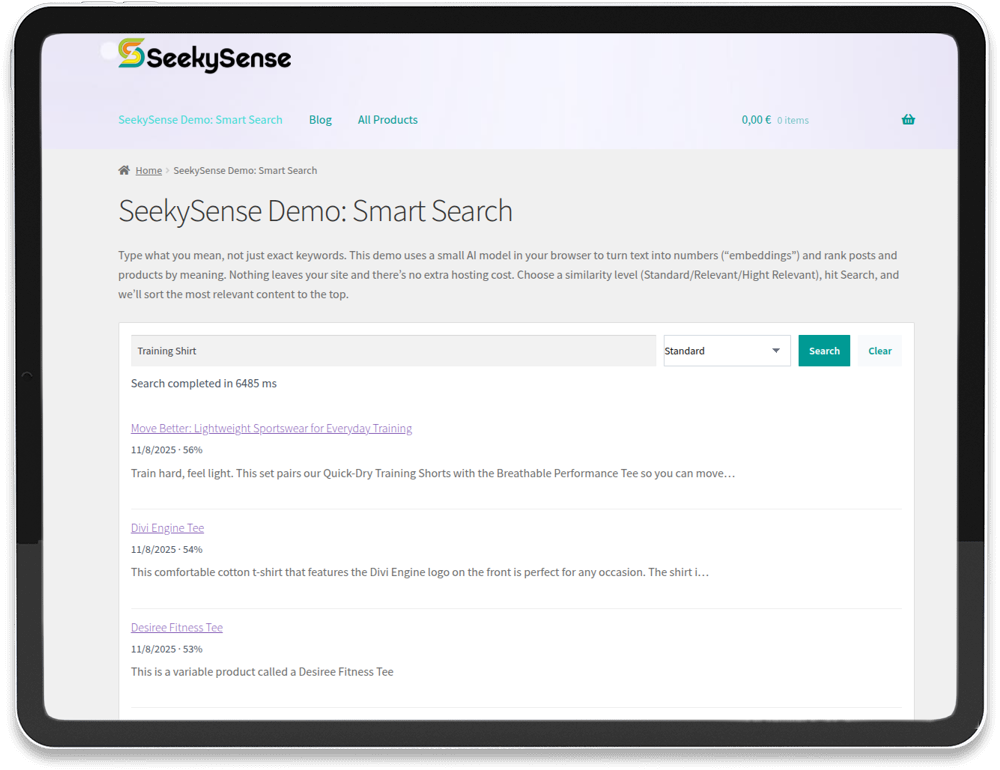
SeekySense upgrades WordPress & WooCommerce with meaning-aware search. Users find what they intended—even with typos or different wording—so your site feels smarter and converts better.
-
Better results → more conversions. We rank by meaning, not exact keywords, so the right posts and products show up first.
Better search, higher conversions
Intent-aware results boost relevance across blog posts and products—even with typos or imperfect queries.
No extra infrastructure costs
Embeddings run in the visitor’s browser. No new servers, no surprise cloud bills.
Fast to install & configure
Drop in a standard WordPress plugin, click “Index all,” and you’re live in minutes—no developer hand-holding.
Privacy by design
No content is sent to third parties for embedding. Your data stays on your site, under your control.
Be the smartest site in your space
Deliver the experience users expect today: find by meaning, not exact keywords—so complex menus and dense pages become instantly navigable. Poor search UX drives abandonments; supporting intent wins the session.
Ecommerce that understands shoppers
Like the big marketplaces—without their budget. SeekySense interprets typos, synonyms, and category jargon so customers reach the right products faster, instead of bouncing on failed queries.
Give your content its full value
AI summaries and zero-click results increasingly keep users off external sites—so make discovery great on your own site. Bring answers forward inside your experience.
Questions about SeekySense for WordPress
What is SeekySense for WordPress?
SeekySense for WordPress is a plugin that adds search by meaning to WordPress posts, pages and WooCommerce products, and with the Gemma Multimedia profile also search by photo and search inside self-hosted videos. The embedding model runs in the browser: the administrator's browser indexes the content and the visitor's browser encodes the query. The engine is the SeekySense SDK, shipped inside the plugin.
Does any content leave my site?
No embedding is computed by a third party. The browser downloads the model files once, from Hugging Face or from a source you host yourself; only if Hugging Face does not answer, the same files come from the SeekySense mirror, and you can turn that off. Queries, images, screen captures and their vectors never leave the visitor's browser.
Which model profiles are available?
Compact (all-MiniLM-L6-v2, English text, about 28 MB, any modern browser), Gemma Text (EmbeddingGemma, more than 100 languages, about 203 MB, needs WebGPU) and Gemma Multimedia (text, images and videos, about 203 MB plus about 104 MB at the first image search, needs WebGPU). Each file is downloaded once per browser and then loaded from cache.
Can visitors search WooCommerce products with a photo?
Yes, with the Gemma Multimedia profile. Featured images and product galleries are indexed, and visitors can upload an image, take a photo or use a screen capture on desktop. Cropping and resizing happen in the browser before anything is processed.
Can SeekySense search inside videos?
Yes, for videos in the WordPress media library. Each video is split into segments at slide or scene changes, and a result opens the page with the player at the right moment. Videos hosted on YouTube or Vimeo are found only through the text of the page that embeds them.
What happens in browsers without WebGPU?
With the Compact profile, search runs on WebAssembly. With the Gemma profiles, the search box falls back to the standard WordPress results and shows a short message. Native WordPress results always appear first and are re-ranked by meaning when the model is ready.
How large can the index be?
Visitors download a compact index snapshot with vectors quantized to 8 bits. It is designed for up to about 20,000 vectors, about 15 MB with the Gemma profiles. Each post, image or video segment counts as one or two vectors.
How do I add the search box?
Install and activate the plugin, choose a profile in SeekySense › Model, recalculate the vectors in SeekySense › Index, then add the [seekysense_search] shortcode or the SeekySense Search block.